
When you're integrating a stereo vision system into a production platform, there's a moment every engineer knows well: you've got data streaming from the sensor, but you're flying blind. Is the depth map accurate? Are the obstacle bounding boxes landing where they should? Is calibration holding up after a week in the field?
We built NODAR Viewer to answer those questions — instantly, visually, without writing a line of parsing code.
What Is NODAR Viewer?
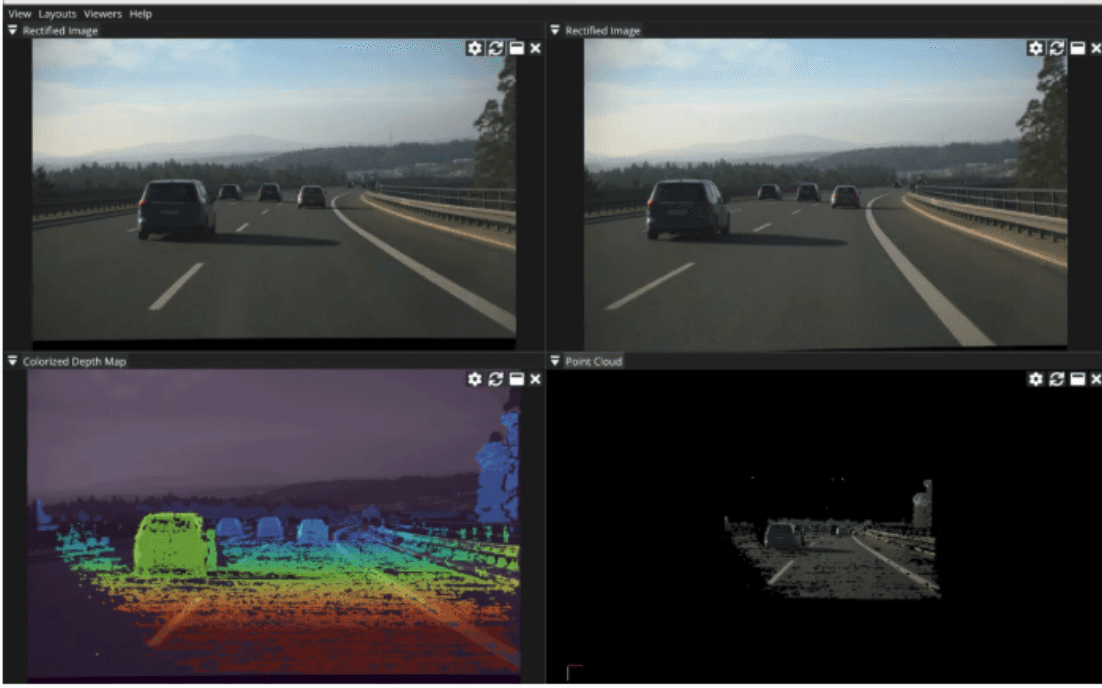
NODAR Viewer is a standalone visualization and control application for our Hammerhead stereo vision platform. It connects directly to a running Hammerhead instance over a local or networked connection, and gives you a real-time window into everything Hammerhead is computing: raw images, rectified images, depth maps, point clouds, disparity, confidence, and object tracking data.
It also supports playback of recorded datasets, making it equally useful for offline analysis, debugging, and demonstration.
You can run NODAR Viewer on the same NVIDIA Orin that hosts Hammerhead, or on a separate laptop or workstation connected via 10G Ethernet — whichever fits your setup. (A note of caution: running both Hammerhead and NODAR Viewer on the same Orin will split GPU resources, so for performance-critical work, a dedicated machine is the better choice.)
What You Can See
The NODAR Viewer is organized around a set of data panels that you can open, rearrange, and resize to build the layout that makes sense for your workflow. The available visualizations include:
Raw and Rectified Images — toggle between left and right cameras to check alignment and verify image quality directly from the sensor.
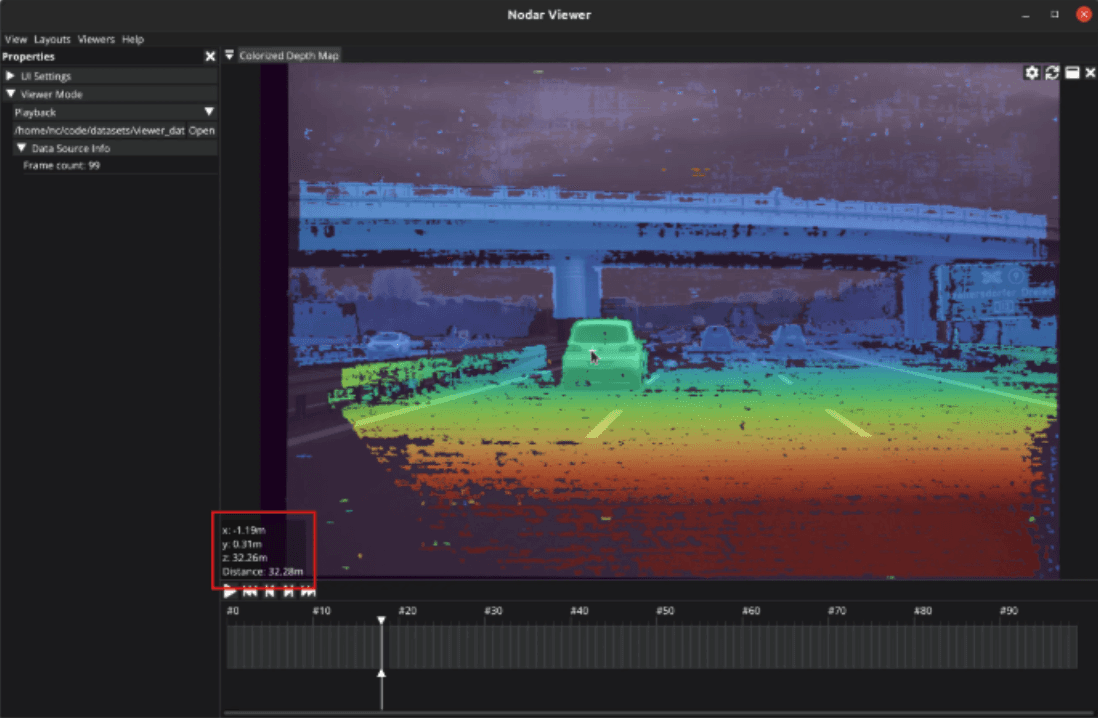
Colorized Depth Map — a color-coded overlay that combines the rectified image with per-pixel depth values. Click any pixel to read its exact distance from the camera. This is the fastest way to sanity-check range performance in a new scene.
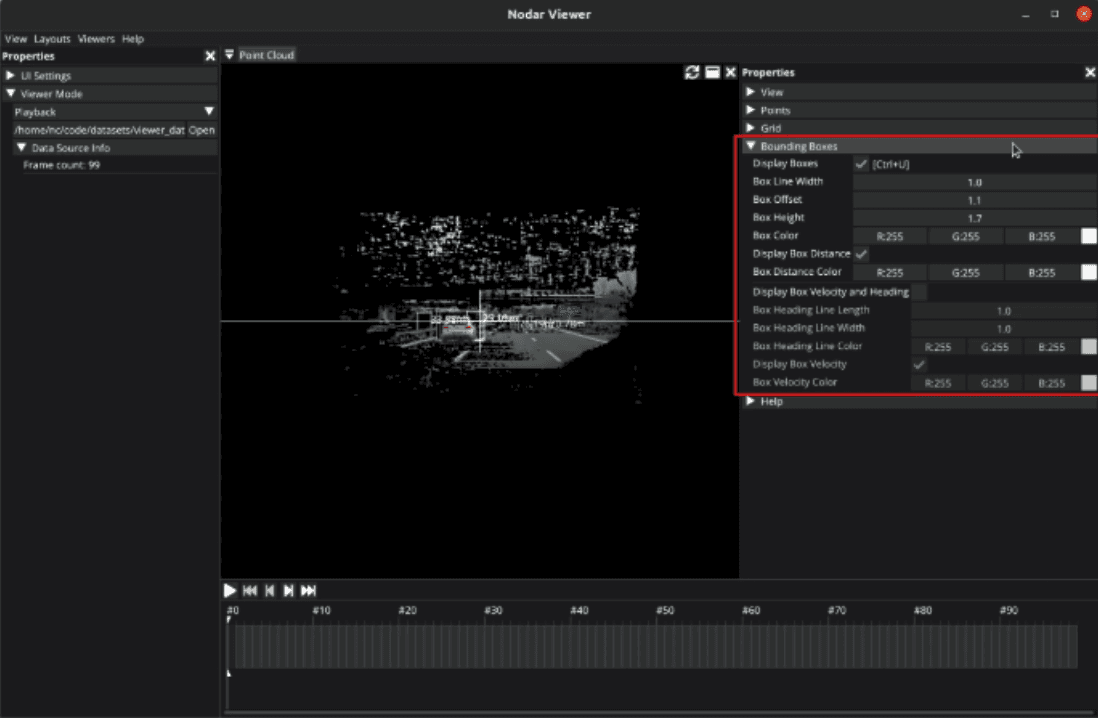
Point Cloud — a full 3D representation of the scene, navigable with mouse and keyboard. Color modes include image-mapped, range-gradient, height-gradient, and obstacle-highlighted views. Bounding boxes can be overlaid with distance labels, velocity indicators, and heading vectors for detected obstacles.
Confidence Map — a grayscale view showing how reliably the stereo matcher resolved each pixel. High-texture regions appear bright; low-texture surfaces like walls or sky appear dark. This is particularly useful when tuning performance for challenging environments.
Disparity Map — raw disparity values in grayscale, for teams doing custom depth processing downstream.
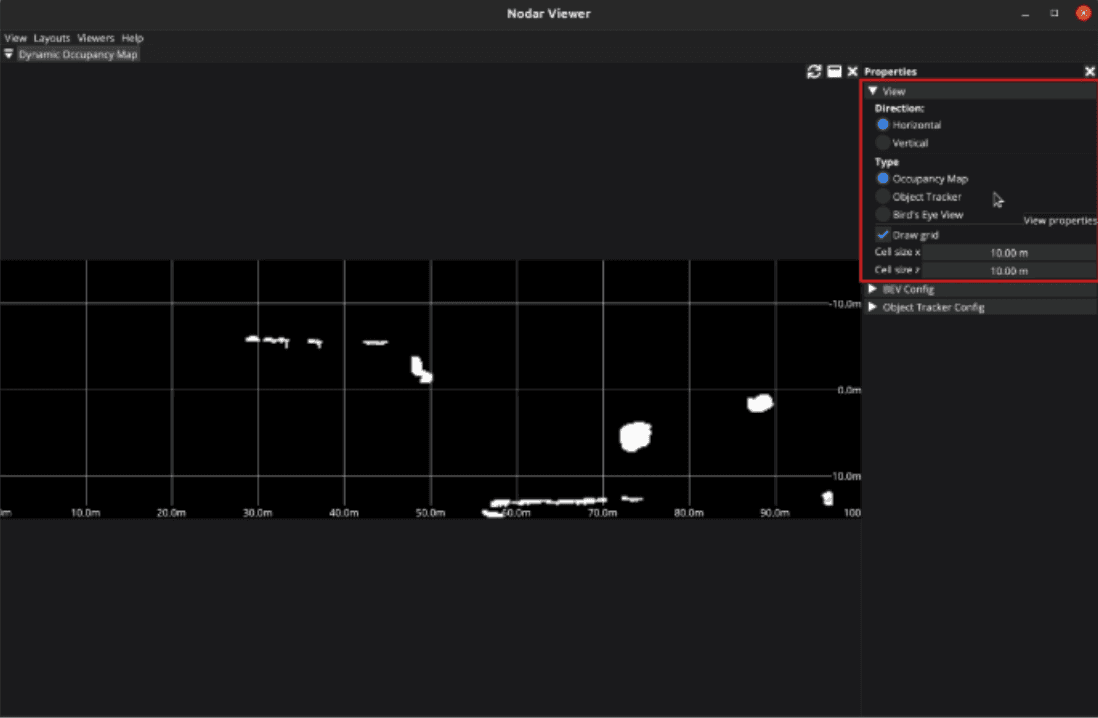
Dynamic Occupancy Map — a bird's-eye view of the detection and tracking output, with objects color-coded by velocity direction. Moving toward the sensor shows yellow; moving away shows blue. This view is essential when evaluating Hammerhead's obstacle detection in dynamic scenes.
Real-Time Control
When connected to a live Hammerhead instance, NODAR Viewer gives you direct control over camera parameters — exposure, gain, auto-exposure mode — without touching a config file or restarting the system. You can pause and resume processing, reset calibration to defaults, and configure the box filter threshold on the fly.
This control loop matters. When you're characterizing performance across different lighting conditions or scene types, being able to adjust parameters and immediately see the effect in the depth map and point cloud is significantly faster than an edit-restart-observe cycle.
Calibration Built In
NODAR Viewer also hosts Hammerhead's calibration workflows. Factory Calibration is used when cameras are first mounted, handling angular corrections up to 3 degrees. Refine Calibration runs periodically as part of maintenance to correct minor drift — up to 1 degree — and keep depth accuracy sharp over time. Range Calibration lets you draw regions of interest on the image and anchor depth accuracy against targets at known distances between 30 and 100 meters.
All three workflows are accessible directly from the Viewer interface, so calibration checks can become part of your regular integration routine without requiring separate tooling.
Playback and Data Recording
For teams working with recorded datasets, NODAR Viewer's Playback mode lets you load saved data and step through it frame by frame, or replay it at full speed. The timeline panel gives you precise navigation controls. Data is validated on load, and Viewer will flag and offer to convert any files saved in outdated formats.
The integrated Data Recorder lets you capture live streams to disk — choosing exactly which data types to save. Point cloud capture works on a frame-by-frame basis, which is useful when you want a clean snapshot at a specific moment rather than a continuous stream.
Watch a full walkthrough (8 min) →
Getting Started
NODAR Viewer is available as a free download for Ubuntu (x86 and ARM) and Windows x86 from our developer documentation site. Sample datasets are available alongside the download — including a short test clip and links to our full public dataset library covering highway driving, low-light city scenes, industrial docks, rail tracks, and more.
If you're already working with Hammerhead, NODAR Viewer is the fastest path to understanding what your sensor is seeing.
Questions about integration or evaluation? Talk to our team.